Presentations.AI 리뷰
AI 프레젠테이션Auto-generates brand-aligned presentations from 프롬프트. Zero-touch design automatically adjusts fonts, 애니메이션s, and layouts with AI.
에디터 평가
Presentations.AI은(는) AI 프레젠테이션 분야에서 상위권에 속하는 도구 중 하나로 5점 만점에 3.8점을 받았습니다. 가장 두드러진 강점은 Zero-touch design requires no design knowledge이며, 해당 기능이 워크플로에서 중요한 경우 특히 가치가 큽니다. 주된 단점은 무료 플랜 does not allow PPT export이므로, 다른 대안과 비교해 본 뒤 도입 여부를 결정하는 것이 좋습니다. 무료 플랜으로 적합성을 위험 없이 검증할 수 있기 때문에, 먼저 시험해 보는 데에 거의 부담이 없습니다.
목차
Presentations.AI이란?
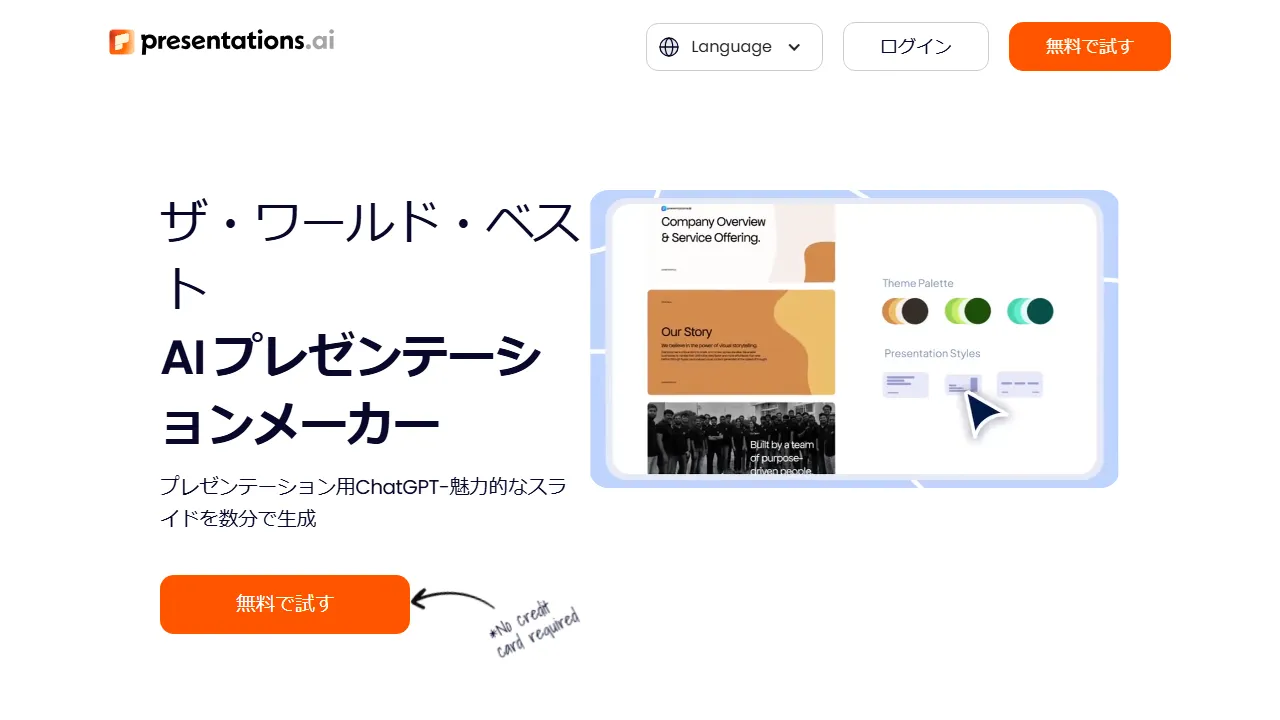
Presentations.AI은(는) over 8 million users의 AI 기반 presentation auto-generation platform used입니다. 사용자가 create presentations in three ways: entering a text 프롬프트, importing a file, or redesigning an existing PowerPoint file. The AI 어시스턴트 'Clip-E' auto-generates slides aligned with brand guidelines, and zero-touch design technology automatically optimizes fonts, 애니메이션s, and image layouts. Intuitive controls make 파인튜닝 easy, enabling 전문적인 presentations without design expertise.
Presentations.AI은(는) 누구를 위한 도구인가?
Presentations.AI은(는) 슬라이드 덱을 빠르게 제작해야 하는 경영진, 컨설턴트, 교육자에게 가장 적합합니다. 무료 플랜이 제공되므로 진입 장벽이 낮아 실제 도입 전에 부담 없이 평가해 볼 수 있습니다. 6개 이상의 폭넓은 기능을 갖추고 있어, AI presentation auto-generation (프롬프트 input), Existing PowerPoint redesign feature 등을 포함해 관련 작업을 위해 다른 도구로 전환할 필요가 거의 없습니다. 사용자가 공통적으로 꼽는 강점은 다음 한 가지입니다: Zero-touch design requires no design knowledge.
요금제 & 가성비
Presentations.AI은(는) 아래의 요금제를 제공합니다. 표기된 가격은 리뷰 시점의 최신 정보이며 변경될 수 있으므로, 구매 전에 반드시 공식 사이트에서 확인해 주세요.
주요 기능
Presentations.AI이 제공하는 주요 기능을, 제품 경험에서 차지하는 비중이 큰 순서대로 정리했습니다.
장점과 단점
Presentations.AI을(를) 동일한 AI 프레젠테이션 카테고리의 다른 도구들과 비교해 평가한 결과, 실제 사용에서 눈에 띈 장단점은 다음과 같습니다.
좋았던 점
- ●Zero-touch design requires no design knowledge
- ●AI redesign feature for existing PowerPoint files
- ●Automatic alignment with brand guidelines
- ●Intuitive UI with easy operation
- ●Proven track record with 8 million+ users
개선되면 좋을 점
- ●무료 플랜 does not allow PPT export
- ●Pro plan is somewhat expensive at $198/year
- ●일본어 UI and 템플릿 are 지원되지 않습니다
Presentations.AI 시작하는 방법
Presentations.AI을(를) 처음 평가하는 분들을 위한 5단계 가이드입니다. 시간을 낭비하지 않고 빠르게 판단할 수 있도록 설계되었습니다.
1Presentations.AI 가입하기
Presentations.AI 공식 웹사이트에 접속해 계정을 만듭니다. 결제 정보를 입력하지 않고도 무료 플랜으로 바로 시작할 수 있으므로, 워크플로에 맞는지 테스트하기에 이상적입니다.
2작업 환경 설정하기
Web 전용 클라이언트가 제공된다면 설치하거나, 브라우저에서 바로 열어 사용할 수 있습니다. 언어, 알림, 기본 출력 스타일 등 기본 환경설정을 맞춰두면 이후 사용 시 일관된 결과를 얻을 수 있습니다.
3AI presentation auto-generation (프롬프트 input)(으)로 첫 작업 실행하기
Presentations.AI의 반응을 파악할 수 있도록 부담 없는 작은 작업부터 시작해 보세요. 명확한 프롬프트나 입력을 작성하고 결과를 검토한 뒤 반복 개선합니다. 이 저위험 탐색 과정이 도구의 강점을 빠르게 익히는 가장 좋은 방법입니다.
4일상 워크플로에 통합하기
도구의 강점을 파악했다면 열 개가 아니라 하나의 구체적인 워크플로부터 Presentations.AI을(를) 도입해 보세요. 기존 단계 중 하나를 이 도구로 대체하고, 일주일 정도 절약된 시간이나 개선된 품질을 측정한 뒤에 사용 범위를 확대하세요.
5실제 사용량을 기준으로 업그레이드하기
처음부터 상위 플랜에 가입하기보다는 실제로 한도에 부딪히는 지점(메시지 수, 출력 길이, 내보내기 기능 등)을 관찰하세요. 상위 플랜이 더 매력적으로 보여서가 아니라, 특정 한도가 생산성을 가로막을 때 업그레이드하는 것이 합리적입니다.
추천 Presentations.AI 대안
Presentations.AI이 맞지 않을 수도 있습니다. 같은 AI 프레젠테이션 카테고리의 비슷한 도구들 중, 우선순위에 따라 고려해 볼 만한 옵션을 정리했습니다.
Decktopus AI
Auto-create presentations with AI. Integrates custom forms, polls, and Q&A features.
유사한 에디터 평점에 더 저렴한 진입 가격를 제공합니다. Interactive element 연동을(를) 원한다면 좋은 선택입니다.
Decktopus AI
AI generates targeted proposals from industry-specific 템플릿. A presentation tool that also creates anticipated Q&A, slide notes, and scripts automatically.
약간 높은 에디터 평점에 더 저렴한 진입 가격를 제공합니다. AI auto-generates anticipated Q&A and scripts을(를) 원한다면 좋은 선택입니다.
SlidesAI
AI 기반 presentation creation for Google Slides. Generate slides instantly from text.
약간 높은 에디터 평점에 더 저렴한 진입 가격를 제공합니다. Fully integrated with Google Slides을(를) 원한다면 좋은 선택입니다.
자주 묻는 질문
Is Presentations.AI free to use?+
네, the 무료 플랜 allows creation of presentations with 200 credits 월 (approximately 40 slides). 그러나 exporting to PPT or PDF format requires the Pro plan ($198/year).
Can I redesign an existing PowerPoint?+
네, you can import an existing PowerPoint file and have the AI automatically redesign it. Redesigning to align with brand guidelines is also possible.
What is Clip-E?+
Clip-E is the AI 어시스턴트 in Presentations.AI that supports automatic slide generation tailored to your brand and tone. Enter a 프롬프트 and Clip-E will suggest both design and content.
Presentations.AI을(를) 사용해 볼 준비가 되셨나요?
무료 플랜부터 시작해 보세요. 신용카드 등록이 필요 없습니다.
Presentations.AI 시작하기 →다른 AI 프레젠테이션 도구
Beautiful.ai
AI 기반 presentation creation tool. AI automatically applies design rules to produce beautiful slides in a fraction of the time.
Gamma
An AI 도구 that auto-generates presentation slides. Simply enter a topic to create beautifully designed slides in minutes, with web publishing support.
Tome
An AI 기반 storytelling and presentation tool. Auto-generates narrative-structured presentations from text 프롬프트, ideal for business proposals.
Pitch
A team-oriented presentation creation tool. AI 기반 slide generation and 실시간 협업 features streamline team-based document creation.
Decktopus AI
AI generates targeted proposals from industry-specific 템플릿. A presentation tool that also creates anticipated Q&A, slide notes, and scripts automatically.
Slidebean
An AI pitch deck creation tool for startups. Uses genetic algorithms to auto-optimize designs, with fundraising 템플릿 and investor tracking features.
검토자: AIpedia 편집부 · 최근 업데이트: 2026년 7월 10일 · 평가 방법: 리뷰와 평점 기준
본 리뷰는 직접 테스트, 요금 검증, 공식 문서와의 교차 확인을 기반으로 작성된 편집부의 의견을 담고 있습니다. 좋은 평가를 조건으로 금전적 대가를 받지 않습니다. 자세한 내용은 편집 정책을 참고하세요.