Uizard 리뷰
AI 디자인AI 도구 that converts hand-drawn sketches into digital UI designs. Perfect for 프로토타이핑.
에디터 평가
Uizard은(는) AI 디자인 분야에서 상위권에 속하는 도구 중 하나로 5점 만점에 3.9점을 받았습니다. 가장 두드러진 강점은 Converts hand-drawn sketches to UI이며, 해당 기능이 워크플로에서 중요한 경우 특히 가치가 큽니다. 주된 단점은 제한적인 fine-grained design adjustments이므로, 다른 대안과 비교해 본 뒤 도입 여부를 결정하는 것이 좋습니다. 이 단점이 사용 사례와 잘 맞는다면, 유료 플랜은 팀 규모에 따라 예측 가능한 월 비용으로 확장할 수 있습니다.
Uizard이란?
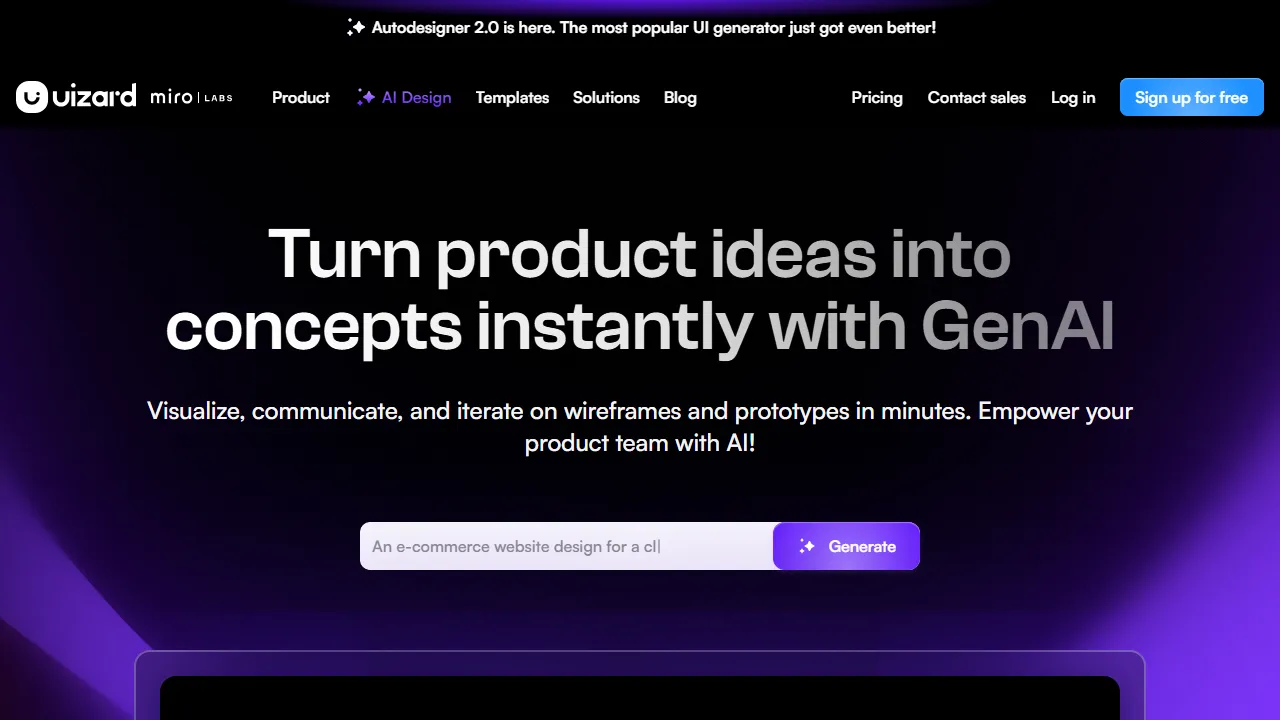
Uizard은(는) converts hand-drawn sketches and text instructions into digital UI designs하는 AI 도구입니다. Simply photograph your hand-drawn app screen designs and they are converted into digital 프로토타입s. With clickable 프로토타입 creation, screen transition setup, and team sharing features, it dramatically streamlines the process from idea visualization to user testing.
Uizard은(는) 누구를 위한 도구인가?
Uizard은(는) 고품질 비주얼 자산을 빠르게 제작해야 하는 그래픽 디자이너, 브랜드 담당자, 비디자이너에게 가장 적합합니다. 입문용 가격대로 설정되어 있어 개인 사용자나 소규모 팀에서도 부담 없이 활용할 수 있습니다. Sketch-to-UI, AI UI generation을(를) 중심으로 한 집중된 기능 세트를 제공해, 복잡하지 않고 깔끔한 사용 경험을 제공합니다. 사용자가 공통적으로 꼽는 강점은 다음 한 가지입니다: Converts hand-drawn sketches to UI.
요금제 & 가성비
Uizard은(는) 아래의 요금제를 제공합니다. 표기된 가격은 리뷰 시점의 최신 정보이며 변경될 수 있으므로, 구매 전에 반드시 공식 사이트에서 확인해 주세요.
주요 기능
Uizard이 제공하는 주요 기능을, 제품 경험에서 차지하는 비중이 큰 순서대로 정리했습니다.
장점과 단점
Uizard을(를) 동일한 AI 디자인 카테고리의 다른 도구들과 비교해 평가한 결과, 실제 사용에서 눈에 띈 장단점은 다음과 같습니다.
좋았던 점
- ●Converts hand-drawn sketches to UI
- ●Easy 프로토타입 creation
- ●풍부한 theme 템플릿
개선되면 좋을 점
- ●제한적인 fine-grained design adjustments
- ●Inconsistent quality in generated designs
- ●Less flexible than Figma
Uizard 시작하는 방법
Uizard을(를) 처음 평가하는 분들을 위한 5단계 가이드입니다. 시간을 낭비하지 않고 빠르게 판단할 수 있도록 설계되었습니다.
1Uizard 가입하기
Uizard 공식 웹사이트에 접속해 계정을 만듭니다. 대부분의 유료 플랜은 체험판이나 환불 기간을 제공합니다. 결제 전에 반드시 요금 안내 페이지를 확인하세요.
2작업 환경 설정하기
Web 전용 클라이언트가 제공된다면 설치하거나, 브라우저에서 바로 열어 사용할 수 있습니다. 언어, 알림, 기본 출력 스타일 등 기본 환경설정을 맞춰두면 이후 사용 시 일관된 결과를 얻을 수 있습니다.
3Sketch-to-UI(으)로 첫 작업 실행하기
Uizard의 반응을 파악할 수 있도록 부담 없는 작은 작업부터 시작해 보세요. 명확한 프롬프트나 입력을 작성하고 결과를 검토한 뒤 반복 개선합니다. 이 저위험 탐색 과정이 도구의 강점을 빠르게 익히는 가장 좋은 방법입니다.
4일상 워크플로에 통합하기
도구의 강점을 파악했다면 열 개가 아니라 하나의 구체적인 워크플로부터 Uizard을(를) 도입해 보세요. 기존 단계 중 하나를 이 도구로 대체하고, 일주일 정도 절약된 시간이나 개선된 품질을 측정한 뒤에 사용 범위를 확대하세요.
5실제 사용량을 기준으로 업그레이드하기
처음부터 상위 플랜에 가입하기보다는 실제로 한도에 부딪히는 지점(메시지 수, 출력 길이, 내보내기 기능 등)을 관찰하세요. 상위 플랜이 더 매력적으로 보여서가 아니라, 특정 한도가 생산성을 가로막을 때 업그레이드하는 것이 합리적입니다.
추천 Uizard 대안
Uizard이 맞지 않을 수도 있습니다. 같은 AI 디자인 카테고리의 비슷한 도구들 중, 우선순위에 따라 고려해 볼 만한 옵션을 정리했습니다.
Designs AI
AI platform for batch-generating logos, videos, banners, and mockups. One-stop creation of all creative assets needed for brand identity building.
유사한 에디터 평점에 더 높은 가격대를 제공합니다. One-stop creation of logos, videos, and banners을(를) 원한다면 좋은 선택입니다.
UX Pilot
An AI tool that automatically generates UI/UX designs. Create wireframes and mockups from text instructions to streamline the design process. Figma plugin support included.
유사한 에디터 평점에 더 저렴한 진입 가격를 제공합니다. Instantly generates UI/UX designs from text instructions을(를) 원한다면 좋은 선택입니다.
Looka
AI 기반 로고 디자인. Generate your entire 브랜드 아이덴티티 in one go.
약간 높은 에디터 평점에 더 높은 가격대를 제공합니다. Generate pro-quality logos in minutes을(를) 원한다면 좋은 선택입니다.
자주 묻는 질문
How do I convert a hand-drawn sketch?+
Simply photograph your paper sketch and upload it. The AI automatically converts it into a digital UI design.
Can I share the 프로토타입s I create?+
네, you can share 프로토타입s with team members or clients simply by sharing a URL.
Uizard을(를) 사용해 볼 준비가 되셨나요?
공식 사이트에서 최신 요금제와 플랜을 확인해 보세요.
Uizard 방문하기 →다른 AI 디자인 도구
Canva AI
A suite of AI features integrated into the Canva design tool. Streamlines design work with 이미지 생성, 배경 제거, 텍스트 생성, and automatic design suggestions.
Adobe Firefly
Commercially safe AI 이미지 생성 and editing tool developed by Adobe. 통합된 with Photoshop and Illustrator, ideal for 전문적인 creative 워크플로.
Figma AI
AI features built into the design tool Figma. Generate UI designs from text, auto-rename layers, search assets, and streamline design 워크플로.
Framer AI
AI 기반 website design and building. Generate 전문적인-quality sites from text instructions.
Looka
AI 기반 로고 디자인. Generate your entire 브랜드 아이덴티티 in one go.
Khroma
AI color palette generator that suggests optimal color schemes. Learns your design preferences.
검토자: AIpedia 편집부 · 최근 업데이트: 2026년 7월 10일 · 평가 방법: 리뷰와 평점 기준
본 리뷰는 직접 테스트, 요금 검증, 공식 문서와의 교차 확인을 기반으로 작성된 편집부의 의견을 담고 있습니다. 좋은 평가를 조건으로 금전적 대가를 받지 않습니다. 자세한 내용은 편집 정책을 참고하세요.