Julius AI 리뷰
AI 데이터 분석AI 도구 for 자연어 데이터 분석. Simply upload CSV or Excel files to auto-generate charts, statistical analyses, and predictive models.
에디터 평가
Julius AI은(는) AI 데이터 분석 분야에서 상위권에 속하는 도구 중 하나로 5점 만점에 4.3점을 받았습니다. 가장 두드러진 강점은 고급 데이터 분석 without programming이며, 해당 기능이 워크플로에서 중요한 경우 특히 가치가 큽니다. 주된 단점은 Processing speed decreases with large datasets (over 1 million rows)이므로, 다른 대안과 비교해 본 뒤 도입 여부를 결정하는 것이 좋습니다. 이 단점이 사용 사례와 잘 맞는다면, 유료 플랜은 팀 규모에 따라 예측 가능한 월 비용으로 확장할 수 있습니다.
목차
Julius AI이란?
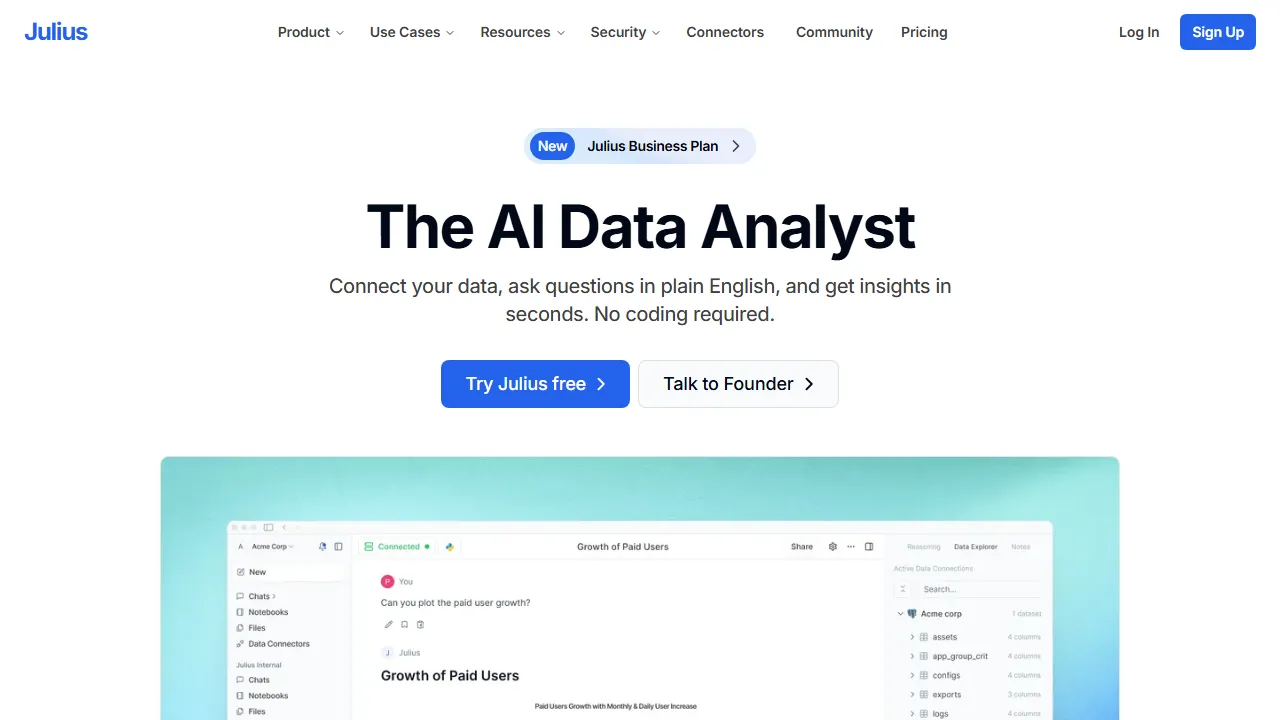
Julius AI은(는) enables 데이터 분석 without programming하는 AI 플랫폼입니다. Upload data from CSV, Excel, Google Sheets, and more, then give 자연어 instructions like 'chart the sales trends' or 'analyze the correlations' to automatically produce 고품질 데이터 시각화s and statistical analyses. It also features automatic Python/R 코드 생성, allowing you to review and edit the generated code. 다음을 지원합니다: advanced analytical methods including regression analysis, clustering, and time series forecasting, and is used across a wide range of applications from 비즈니스 인텔리전스 to academic research. Analysis results can be shared as interactive 대시보드s, supporting data-driven decision making across teams.
Julius AI은(는) 누구를 위한 도구인가?
Julius AI은(는) 대용량 데이터셋을 다루는 데이터 분석가, BI 팀, 의사결정권자에게 가장 적합합니다. 입문용 가격대로 설정되어 있어 개인 사용자나 소규모 팀에서도 부담 없이 활용할 수 있습니다. 6개 이상의 폭넓은 기능을 갖추고 있어, Natural language 데이터 분석 and visualization, CSV, Excel, and Google Sheets data import 등을 포함해 관련 작업을 위해 다른 도구로 전환할 필요가 거의 없습니다. 사용자가 공통적으로 꼽는 강점은 다음 한 가지입니다: 고급 데이터 분석 without programming.
요금제 & 가성비
Julius AI은(는) 아래의 요금제를 제공합니다. 표기된 가격은 리뷰 시점의 최신 정보이며 변경될 수 있으므로, 구매 전에 반드시 공식 사이트에서 확인해 주세요.
주요 기능
Julius AI이 제공하는 주요 기능을, 제품 경험에서 차지하는 비중이 큰 순서대로 정리했습니다.
장점과 단점
Julius AI을(를) 동일한 AI 데이터 분석 카테고리의 다른 도구들과 비교해 평가한 결과, 실제 사용에서 눈에 띈 장단점은 다음과 같습니다.
좋았던 점
- ●고급 데이터 분석 without programming
- ●Auto-generate charts and graphs with 자연어 instructions alone
- ●Supports diverse data sources including CSV, Excel, and Google Sheets
- ●Automatic Python/R 코드 생성 ensures analysis transparency
- ●Easy team sharing via interactive 대시보드s
개선되면 좋을 점
- ●Processing speed decreases with large datasets (over 1 million rows)
- ●Real-time data 연동 is 지원되지 않습니다
- ●제한적인 number of messages on the 무료 플랜
Julius AI 시작하는 방법
Julius AI을(를) 처음 평가하는 분들을 위한 5단계 가이드입니다. 시간을 낭비하지 않고 빠르게 판단할 수 있도록 설계되었습니다.
1Julius AI 가입하기
Julius AI 공식 웹사이트에 접속해 계정을 만듭니다. 대부분의 유료 플랜은 체험판이나 환불 기간을 제공합니다. 결제 전에 반드시 요금 안내 페이지를 확인하세요.
2작업 환경 설정하기
Web 전용 클라이언트가 제공된다면 설치하거나, 브라우저에서 바로 열어 사용할 수 있습니다. 언어, 알림, 기본 출력 스타일 등 기본 환경설정을 맞춰두면 이후 사용 시 일관된 결과를 얻을 수 있습니다.
3Natural language 데이터 분석 and visualization(으)로 첫 작업 실행하기
Julius AI의 반응을 파악할 수 있도록 부담 없는 작은 작업부터 시작해 보세요. 명확한 프롬프트나 입력을 작성하고 결과를 검토한 뒤 반복 개선합니다. 이 저위험 탐색 과정이 도구의 강점을 빠르게 익히는 가장 좋은 방법입니다.
4일상 워크플로에 통합하기
도구의 강점을 파악했다면 열 개가 아니라 하나의 구체적인 워크플로부터 Julius AI을(를) 도입해 보세요. 기존 단계 중 하나를 이 도구로 대체하고, 일주일 정도 절약된 시간이나 개선된 품질을 측정한 뒤에 사용 범위를 확대하세요.
5실제 사용량을 기준으로 업그레이드하기
처음부터 상위 플랜에 가입하기보다는 실제로 한도에 부딪히는 지점(메시지 수, 출력 길이, 내보내기 기능 등)을 관찰하세요. 상위 플랜이 더 매력적으로 보여서가 아니라, 특정 한도가 생산성을 가로막을 때 업그레이드하는 것이 합리적입니다.
추천 Julius AI 대안
Julius AI이 맞지 않을 수도 있습니다. 같은 AI 데이터 분석 카테고리의 비슷한 도구들 중, 우선순위에 따라 고려해 볼 만한 옵션을 정리했습니다.
Dataiku
Enterprise AI 데이터 분석 platform. Democratizing data science for organizations.
유사한 에디터 평점를 제공합니다. Supports both 노코드 and code approaches을(를) 원한다면 좋은 선택입니다.
Chroma
AI 임베딩 저장 및 대규모 검색을 위한 오픈소스 벡터 데이터베이스.
유사한 에디터 평점를 제공합니다. 무료 및 오픈소스을(를) 원한다면 좋은 선택입니다.
Weaviate
오픈소스 AI 네이티브 벡터 데이터베이스. 벡터 검색과 키워드 검색의 하이브리드 검색을 지원하며, 대규모 RAG 애플리케이션 구축에 최적입니다.
유사한 에디터 평점에 더 높은 가격대를 제공합니다. 하이브리드 검색 (벡터+키워드)으로 높은 검색 정확도을(를) 원한다면 좋은 선택입니다.
자주 묻는 질문
Can I use Julius AI for free?+
네, the 무료 플랜 allows up to 25 messages 월. For more analyses, you'll need the Essential plan ($20/month) or above.
Do I need programming knowledge?+
아니요, you can perform 데이터 분석 simply by giving 자연어 instructions. 사용자가 review and edit the generated Python/R code, but it's not required.
What file formats 지원됩니다?+
다음을 지원합니다: major data formats including CSV, Excel (.xlsx/.xls), Google Sheets, JSON, and SQLite.
Julius AI을(를) 사용해 볼 준비가 되셨나요?
공식 사이트에서 최신 요금제와 플랜을 확인해 보세요.
Julius AI 방문하기 →다른 AI 데이터 분석 도구
Tableau AI
AI features integrated into Salesforce's BI tool Tableau. AI assists with 데이터 시각화 and analysis, automatically discovering insights.
Obviously AI
No-code AI 플랫폼 for building 머신러닝 models. Simply upload data to auto-build predictive models for business forecasting.
Akkio
No-code AI 데이터 분석 and prediction platform. Built for business predictive analytics.
Dataiku
Enterprise AI 데이터 분석 platform. Democratizing data science for organizations.
MonkeyLearn
AI 도구 specialized in text analysis. Perform sentiment analysis, classification, and entity extraction with 노코드.
ChatGPT Advanced Data Analysis
ChatGPT's 데이터 분석 feature. Upload files to create charts and run statistical analysis.
검토자: AIpedia 편집부 · 최근 업데이트: 2026년 7월 10일 · 평가 방법: 리뷰와 평점 기준
본 리뷰는 직접 테스트, 요금 검증, 공식 문서와의 교차 확인을 기반으로 작성된 편집부의 의견을 담고 있습니다. 좋은 평가를 조건으로 금전적 대가를 받지 않습니다. 자세한 내용은 편집 정책을 참고하세요.